“You’dthis. ”
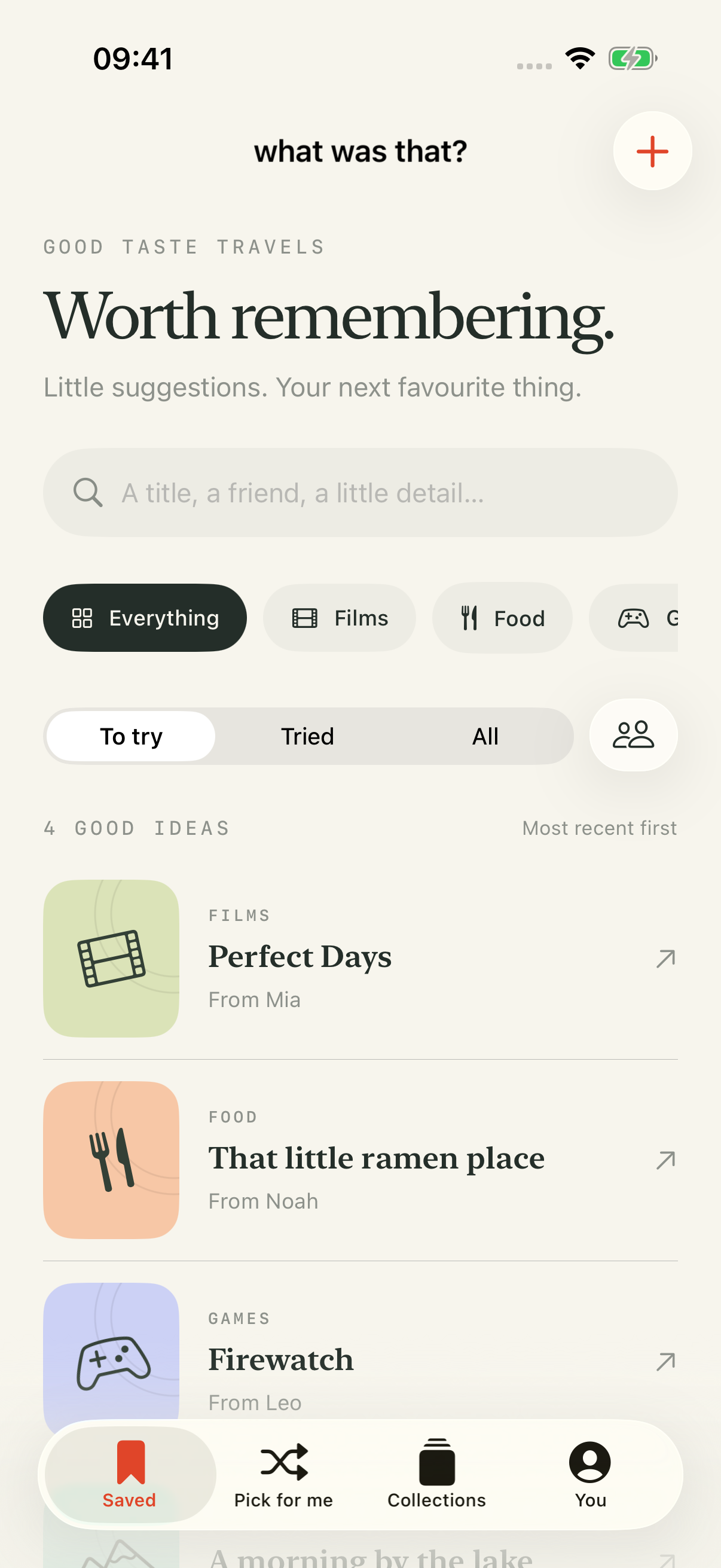
The film Mia mentioned. That tiny ramen place.
Keep the what. Remember the who.
M N L
Inspired by the people.Not the algorithm.
a little home for good ideas
✦
FROM MIA
“Trust me on this one.”
✳ ✧
GOOD THINGS COME IN ALL KINDS ◉ Films ✦ ♨ Food ✦ ⌘ Games ✦ ⌁ Places ✦ And then some ↗
A VERY HUMAN KIND OF DISCOVERY
Your next favourite thingin your circle.
Good recommendations get lost in chats, half-written notes, and “what
was that called again?” moments. Give them a little place to stay.
01 / KEEP THE GOOD STUFF
A name.A note for later.
Save a film, a restaurant, a game, or somewhere to go. Add who told
you and the little detail that made you want to try it.
↗
THE LITTLE DETAIL
“Go in knowing as little as possible.
— Leo, on Firewatch
02 / REMEMBER YOUR PEOPLE
Behind every good idea,someone you know.
Search by title, friend, or that one thing you remember. A little
credit for the person who gets your taste.
M Mia The film friend ↗
N Noah Always knows a place ↗
L Leo “Just one more game” ↗
A few fictional friends, for illustration.
03 / LET A GOOD IDEA FIND YOU
“What shoulddo? ”✳
Less deciding. More doing. Pick a mood and let your saved
recommendations do their thing. Only ideas you haven’t tried yet.
Try a little example →
Anything Watch Eat Go
✳ YOUR NEXT GOOD THING
Something good
A little inspiration from your people.
Pick for me ⤨ Interactive preview · fictional sample recommendations
☀
THE THINGS WE’LL GET AROUND TO
A slow weekend
3 good ideas · a little room to wander
☾
JUST ONE MORE
One more episode
The list that makes staying in a plan.
04 / BETTER TOGETHER
Good things.In good company.
Make a collection for a weekend, a film night, or your next trip.
Share a copy with a friend through AirDrop, Messages, or Files.
Names and notes come along. Each person keeps their own copy, so
future edits stay on their device.
⌑
YOUR PRIVATE LITTLE CORNER
Your people. Your list. Your business.
No account. No ads. No tracking.
↗
MAKE ROOM FOR GOOD THINGS
Next time someone saysyou’ll remember.
A native SwiftUI app for iPhone, with Liquid Glassplatret .
Developer edition · iOS 26 or later
How do I get it on my iPhone?
Download the source from the release page and unzip it on your
Mac.
Open WhatWasThat.xcodeproj in Xcode 26 or later.
Select your Apple development team for the app and widget targets.
Use your own bundle and App Group identifiers.
Connect your iPhone, enable Developer Mode, select it in Xcode,
and press Run.
Widgets require App Groups support for your signing team. The
repository includes detailed setup instructions.